US Passport Photo Generator: Create a 2 x 2 Inch Photo Sheet for 4 x 6 or US Letter Printing
The US Passport Photo Generator is a free browser-based tool that helps you create printable 2 x 2 inch ID photo sheets. Upload a portrait, choose a background option, and download a sheet prepared for 4 x 6 inch or US Letter printing.
It is designed for people who want a low-cost, no-app workflow. You do not need to install a smartphone app, create an account, or manually place the same photo multiple times. The generator creates the print layout for you.
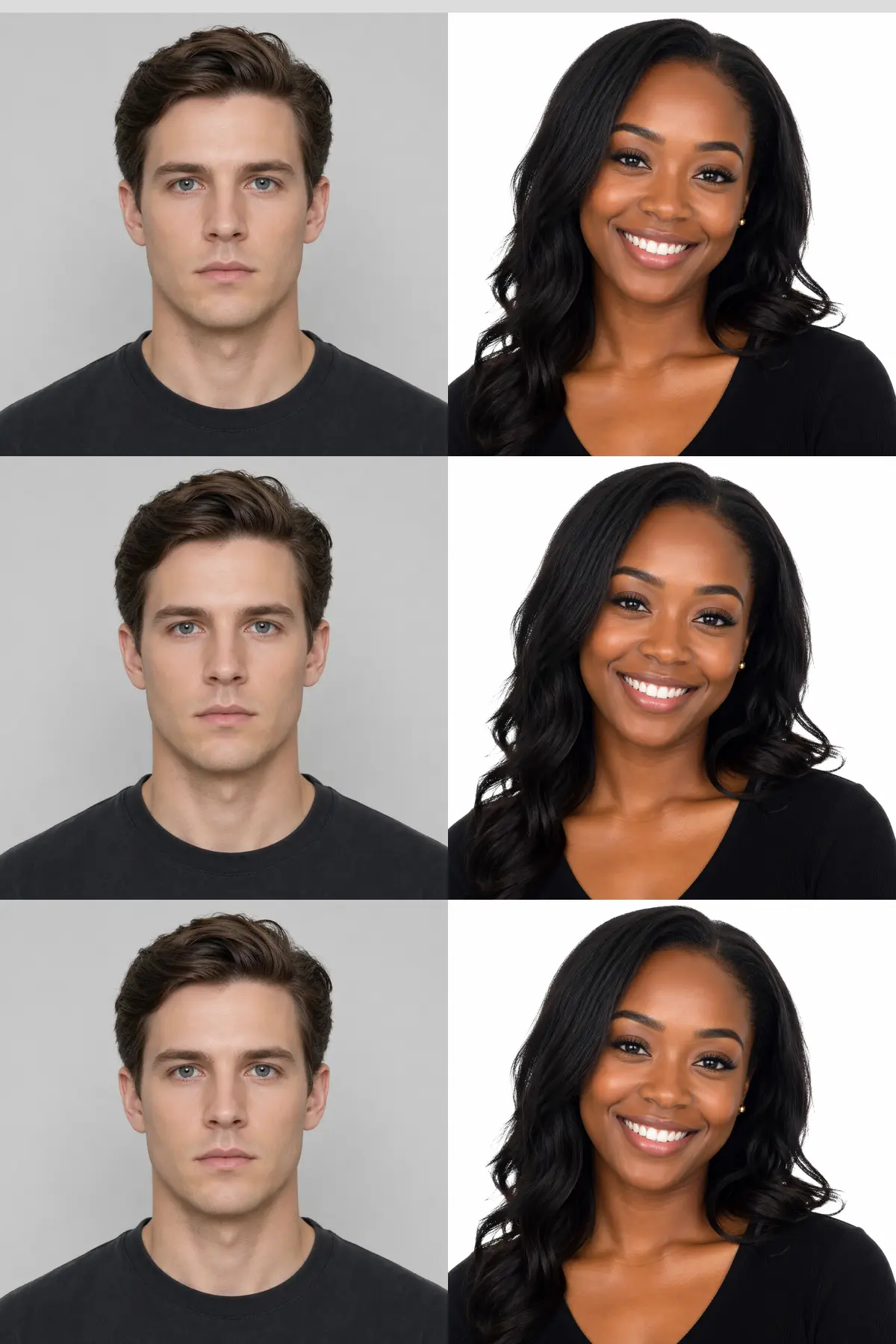
Quick summary
Photo size: 2 x 2 inches (about 51 x 51 mm)
Print sheet options: 4 x 6 inches and US Letter (8.5 x 11 inches)
Main benefits: no app required, simple background removal,
and inexpensive standard photo printing.
Create a US Passport Photo Sheet Online
Start with the English generator page below. It opens in your browser and lets you upload your image, select a background color, choose whether to replace the background, and select the final print layout.
Create a 2 x 2 Inch Passport Photo Sheet
No app required. Upload a photo and generate a printable 4 x 6 or US Letter sheet.
Open the US Passport Photo GeneratorThe generator is free to use. Printing fees depend on the print provider.
What the English Version Creates
The English version is focused on the US-style square passport photo format. Instead of Japanese ID photo sizes, the output is fixed to the commonly used 2 x 2 inch square photo.
| Output option | What it means | Typical use |
|---|---|---|
| 2 x 2 inch photo | The cropped ID photo size generated by the tool. | US passport-style photo format. |
| 4 x 6 inch sheet | A compact print sheet for standard photo kiosk printing. | CVS, Walgreens, Walmart, or other 4 x 6 photo printing workflows. |
| US Letter sheet | A larger sheet for 8.5 x 11 inch home or office printing. | Home printer, office printer, or letter-size photo paper. |
Important: Requirements for official passport applications can change and may be checked strictly. Before submitting any passport or government application, confirm the current official photo requirements and inspect the printed photo carefully.
Printing Cost: CVS / Walgreens / Walmart vs. Passport Photo Services
A key advantage of this workflow is that you can print the generated image as a normal 4 x 6 photo print. Many photo kiosks and online photo print services offer standard 4 x 6 prints at a low per-sheet price.
| Method | Typical cost | Notes |
|---|---|---|
| CVS / Walgreens / Walmart kiosk or photo printing | About $0.29 to $0.39 per 4 x 6 sheet | Print as a standard photo. Prices vary by store, location, and promotions. |
| Standard passport photo service | Often around $16 | Convenient, but much more expensive for simple reprints. |
| Home printer | Depends on paper and ink | Useful if you already have photo paper and can print at actual size. |
Compared with a standard passport photo service that often costs around $16, a $0.29 to $0.39 standard photo print can be roughly 40 to 50 times cheaper. This is why using a 4 x 6 photo sheet can be a practical low-cost option.
Why Use This US Passport Photo Generator?
- No app required: use it directly in a web browser on a phone or computer.
- Simple background removal: choose blue, white, or gray background processing.
- 2 x 2 inch output: designed for US-style square passport photo formatting.
- 4 x 6 and US Letter layouts: choose the print sheet that matches your printer or kiosk.
- Multiple image upload: arrange more than one source image onto a sheet when needed.
- Free generator: the service creates the print-ready image without a usage fee.
- Reusable data: save the downloaded image and print another copy later if needed.
How to Create a 2 x 2 Inch US Passport Photo Sheet
-
Take or prepare a clear portrait
Use a front-facing photo with even lighting. Leave enough space around the head so the generator can crop the image cleanly. A plain background often improves the final result.
-
Upload the photo
Open the US Passport Photo Generator and select your image. You can upload from a smartphone photo library or from a computer.
-
Choose background processing
Select whether to replace the background. The simple background removal feature can create a blue, white, or gray background. If your photo already has a good background, you can keep it.
-
Select the print layout
Choose 4 x 6 inch sheet for photo kiosk printing, or US Letter for 8.5 x 11 inch printing.
-
Generate and download
Click the generate button. The image downloads automatically and a preview appears on the page.
-
Print the downloaded sheet
Print the generated file at actual size. For 4 x 6 photo printing, use the Fit setting so the entire generated sheet is preserved.
Recommended 4 x 6 Print Settings
Use these settings when printing the 4 x 6 version:
- Paper size: 4 x 6
- Fit method: Fit
- Avoid: Fill, because it may crop the generated sheet
- Copies: 1
The difference between Fit and Fill is important. Fit keeps the entire generated sheet visible. Fill may enlarge the image to cover the paper, which can crop the edges and change the final ID photo size.
Photo Quality Tips Before Uploading
1. Use even lighting
Bright, soft light helps reduce shadows on the face. Avoid strong backlight or harsh side light.
2. Face the camera
Use a front-facing pose with your eyes open and face clearly visible.
3. Leave enough space
Do not crop too tightly before uploading. The generator needs space to frame the head properly.
The background removal feature is a helpful convenience, but it is still best to start with a clean, simple photo. A plain wall or uncluttered background usually produces the best result.
Detailed Comparison: Generator vs. In-Store Passport Photo Service
| Item | US Passport Photo Generator | In-store passport photo service |
|---|---|---|
| Typical cost | Generator is free; standard 4 x 6 printing may be about $0.29 to $0.39 per sheet. | Often around $16. |
| App required? | No. Browser-based. | No, but you usually need to visit the store photo counter. |
| Photo capture | You provide the photo. | Staff or kiosk captures the photo. |
| Background | Simple background removal with blue, white, or gray options. | Usually handled at the store. |
| Best for | Low-cost printing, reprints, and users who can prepare a suitable photo. | People who want the store to handle the photo-taking process. |
Important Notes Before You Print
- Print the 4 x 6 version using Fit, not Fill, to avoid cropping.
- Store prices can vary by location, promotion, and printing method.
- Check the printed photo with a ruler if exact physical size is important.
- Official passport photo rules can change. Confirm current requirements before submitting an application.
- Color and sharpness can vary depending on the printer, paper, and kiosk settings.
- The generator helps create a layout, but it cannot guarantee acceptance by any agency.
Frequently Asked Questions
Q: Is this tool free?
A: Yes. The generator is free to use. You only pay whatever printing cost your chosen printer or store charges.
Q: Can I use it on my phone?
A: Yes. The tool works in a web browser, so you can use it from a smartphone without installing an app.
Q: What size is the ID photo?
A: The English version creates a 2 x 2 inch square photo, shown as approximately 51 x 51 mm on the page.
Q: Should I choose Fit or Fill when printing?
A: Choose Fit. Fill can crop the image and may change the final printed photo size.
Q: Can I print at CVS, Walgreens, or Walmart?
A: You can generally treat the downloaded 4 x 6 sheet as a standard photo print, but workflows and prices vary by store. Follow the store's current photo printing instructions.
Q: Does background removal guarantee an official passport result?
A: No. It is a simple convenience feature. Always check current official passport photo rules and inspect the printed result carefully before submission.
Ready to Make a 2 x 2 Inch Photo Sheet?
Create a printable US passport photo sheet in your browser. No app required.
Start the US Passport Photo GeneratorLast updated:
スタジオアージュの情報
| 店舗名 | スタジオアージュ |
| TEL | 06-6881-0170 |
| 住所 | 大阪府大阪市北区天神橋2丁目3-22 西川ビル2F |
| 動画サービス | あり(YouTube・DVD) |
| 営業時間 | 平日 10:00~17:00 土日祝 10:00~16:00 |
| 最寄り駅 | 大阪天満宮駅 / 南森町駅より徒歩1分 |
| 駐車場 |
Google Maps「大阪天満宮 駐車場」 駐車場 駐車場akippa「南森町駅駐車場」 |
| スタッフ | スタッフ一覧 |
ご予約・お問い合わせ
1分程度で送信できます。
電話・LINE・E-mail でもご予約・ご相談いただけます。